
Apps
The ScreenAtlas Web App, Rebuilt Around Tonight
The ScreenAtlas web app has a new look and a new home screen. Tonight puts your next episode and your friends in one feed, and Discussions gathers every reply in one inbox.
It’s 9pm, you’ve got a laptop open, and the question is the same one it always is: what now? Finish the episode you stopped halfway through? Start the show a friend keeps bringing up? The answer is spread across three apps and a group chat, and by the time you’ve pieced it together, the evening is half gone.
The ScreenAtlas web app now opens on that question. We rebuilt it from the sign-in screen up, and the biggest change is where it starts: a home screen called Tonight that puts your next episode and your friends’ week in one place. It’s live now at screenatlas.app/web.
A web app that looks like the rest of ScreenAtlas
The web app used to look like a small copy of the phone app. It now wears the same colours and type as this site, so moving from an article to your library feels like one product. Covers carry the colour. Everything else stays quiet, with one amber button per screen marking the thing you’re most likely to do next.
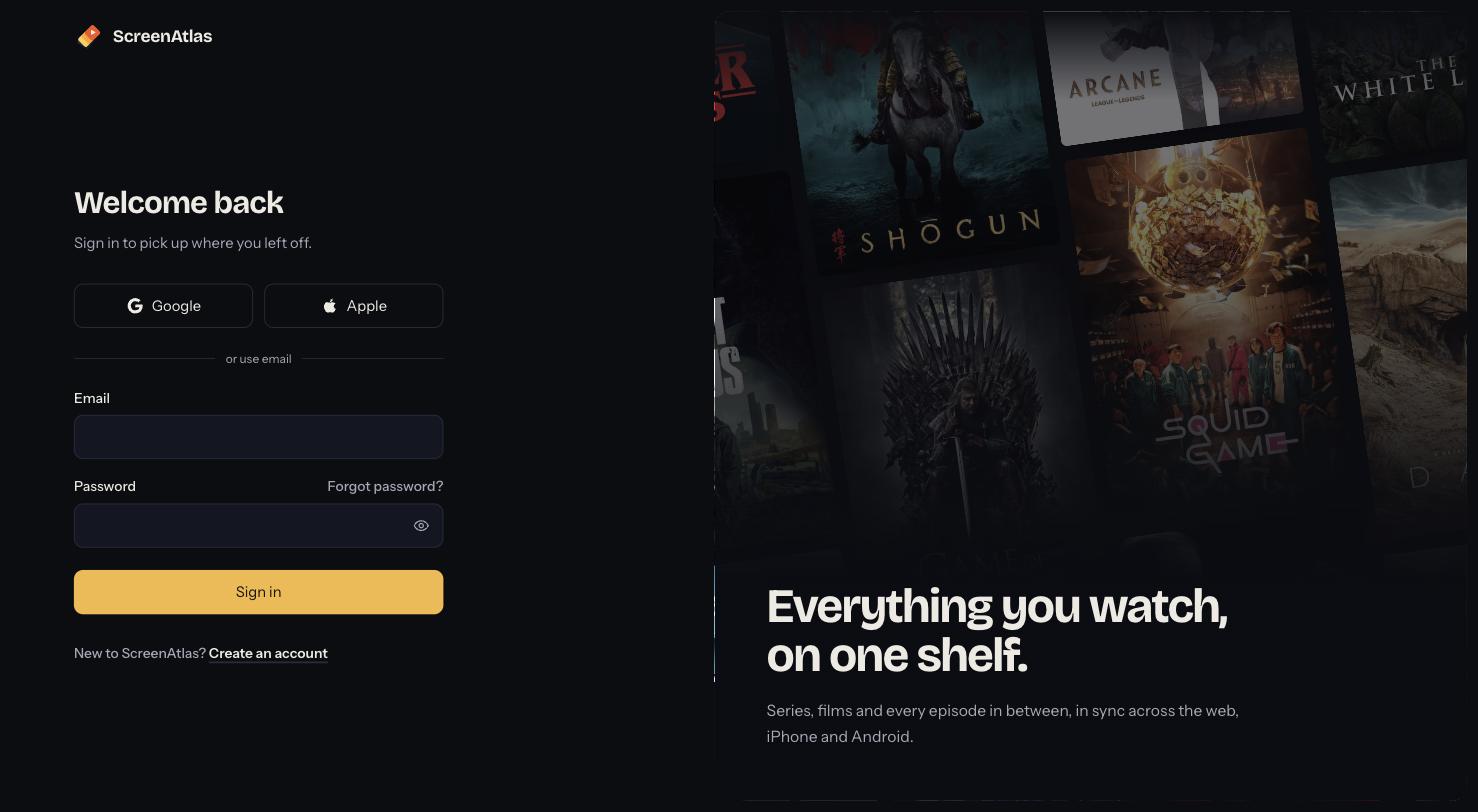
Signing up got simpler too. There’s one password field with a show/hide toggle instead of two, and the password rules appear as a checklist while you type, so a rejected password never comes as a surprise.
Tonight: your next episode and your friends in one feed
Tonight starts with Up next: the shows you’re in the middle of, each with the next episode and a Continue button. Below it is a feed of what the people you follow have been watching. Binges are grouped into one card instead of ten, ratings show their stars, and comments appear with a reply box right under them. On the side you’ll see who’s watching what right now, and what airs this week for the shows you track.
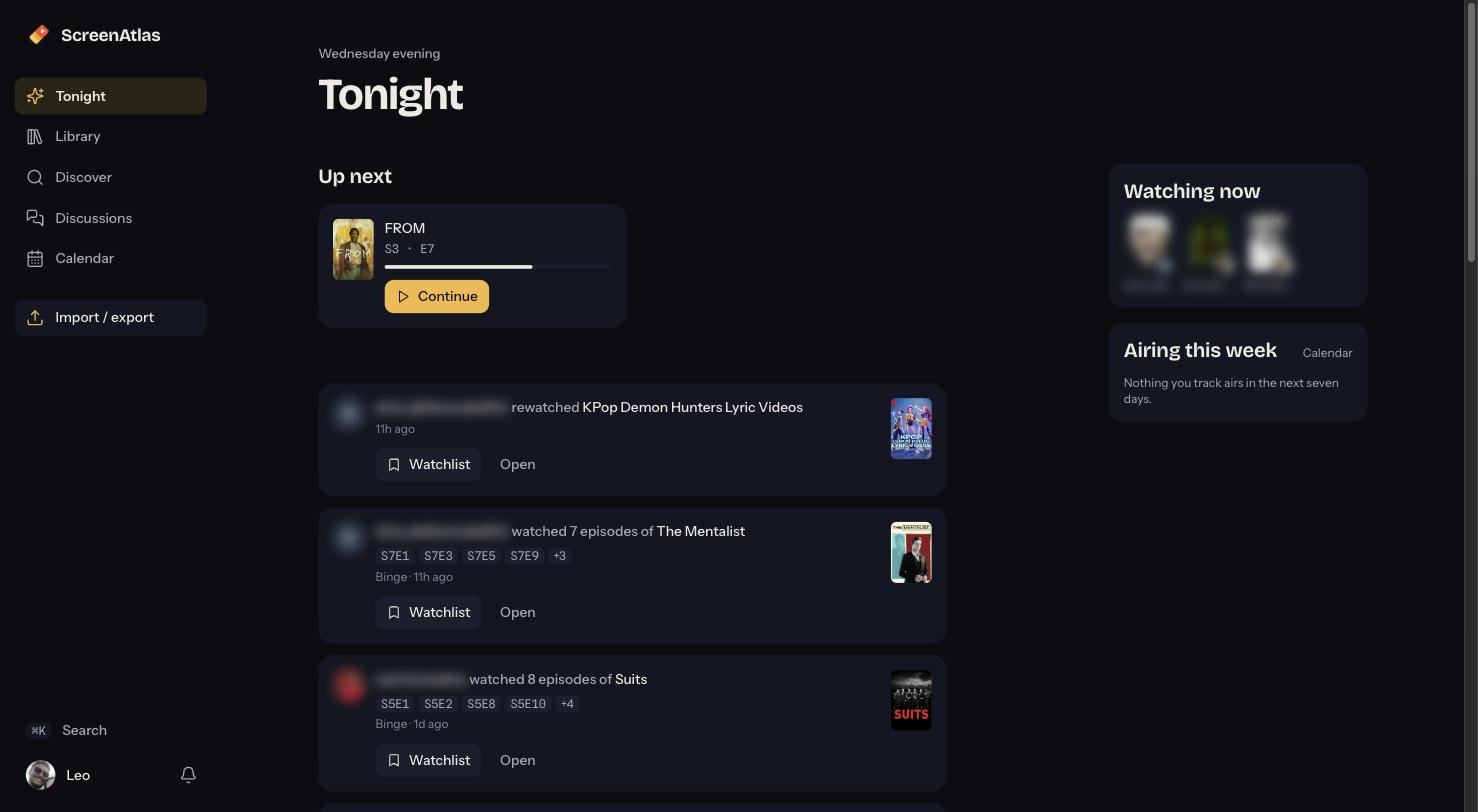
The feed is chronological. There’s no algorithm deciding which friend you hear from, and anything that isn’t from a friend (a hot discussion on one of your shows, a “because you finished” suggestion) is capped so it never takes over.
Discussions: every conversation in one place
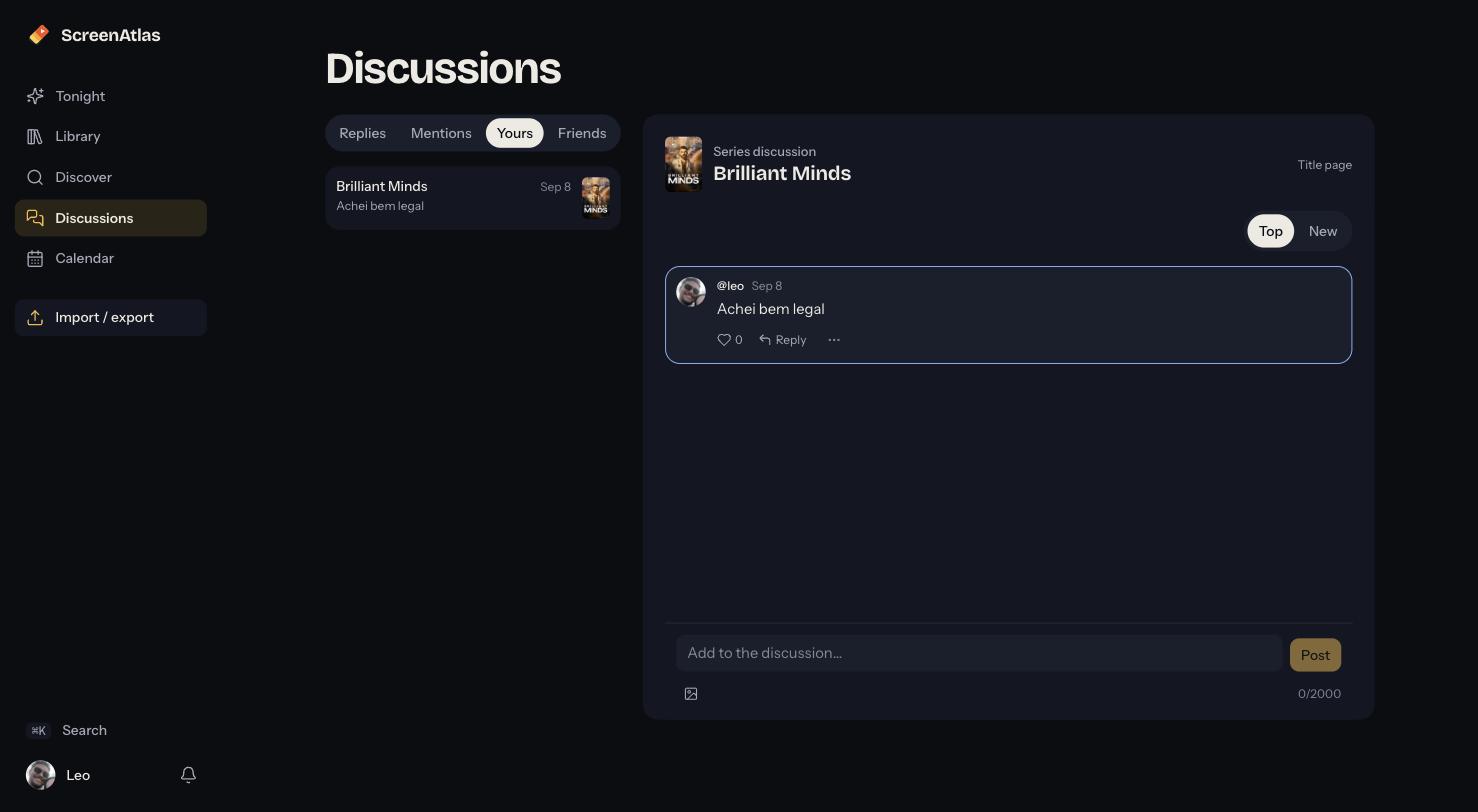
Every title and episode on ScreenAtlas has its own discussion. What was missing was a way to keep up with them. Discussions is a two-pane inbox: replies to your comments, mentions, your own threads, and what your friends have been saying, with the conversation open on the right. When a reply brings you in, the comment it answers is highlighted in the thread.
Your library, with the next episode one click away
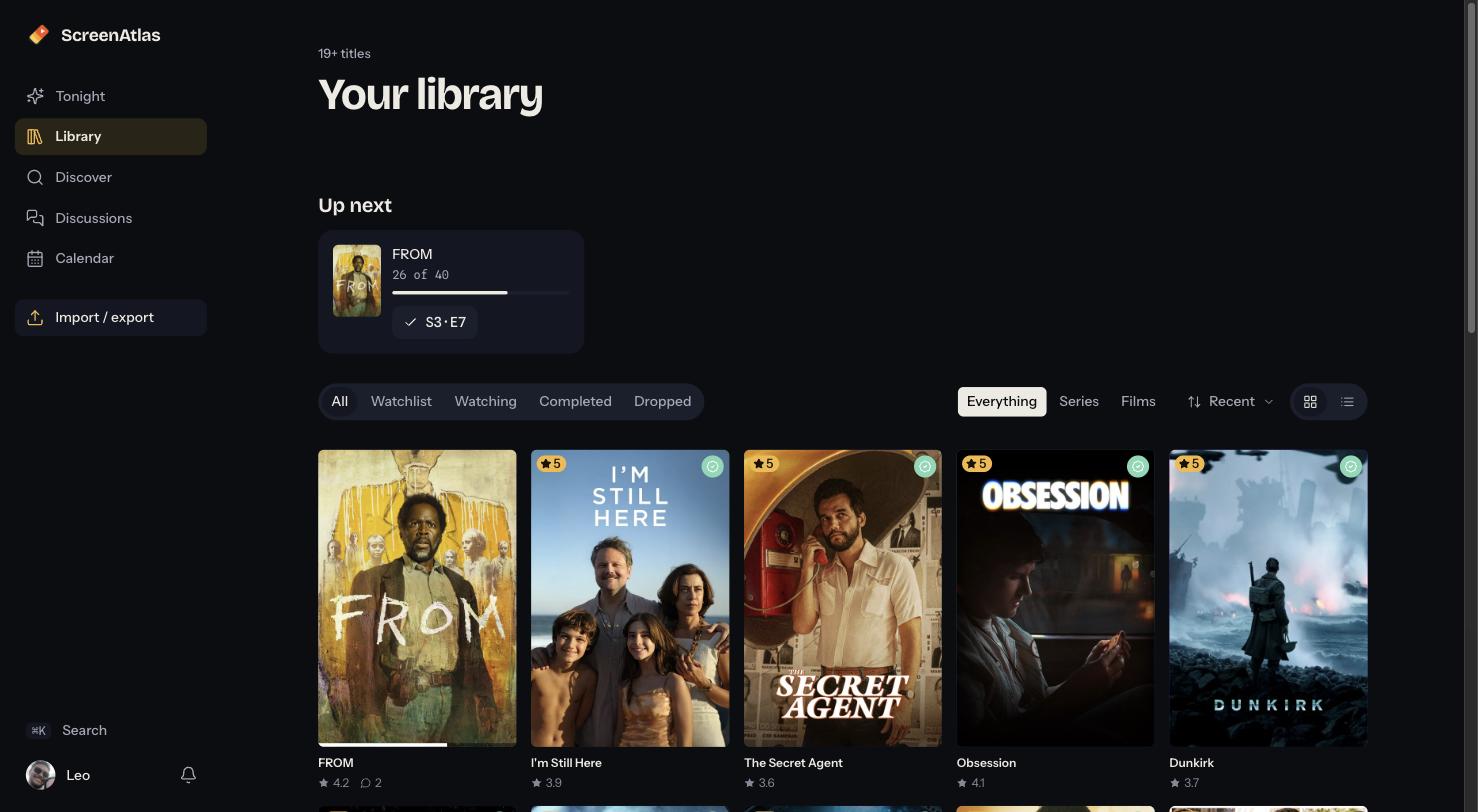
The library keeps its wall of covers, and gains an Up next row on top. The check button on each card marks the next episode watched without opening the show. Hover over any cover to rate it or change its status in place.
Discover, with a reason behind each pick
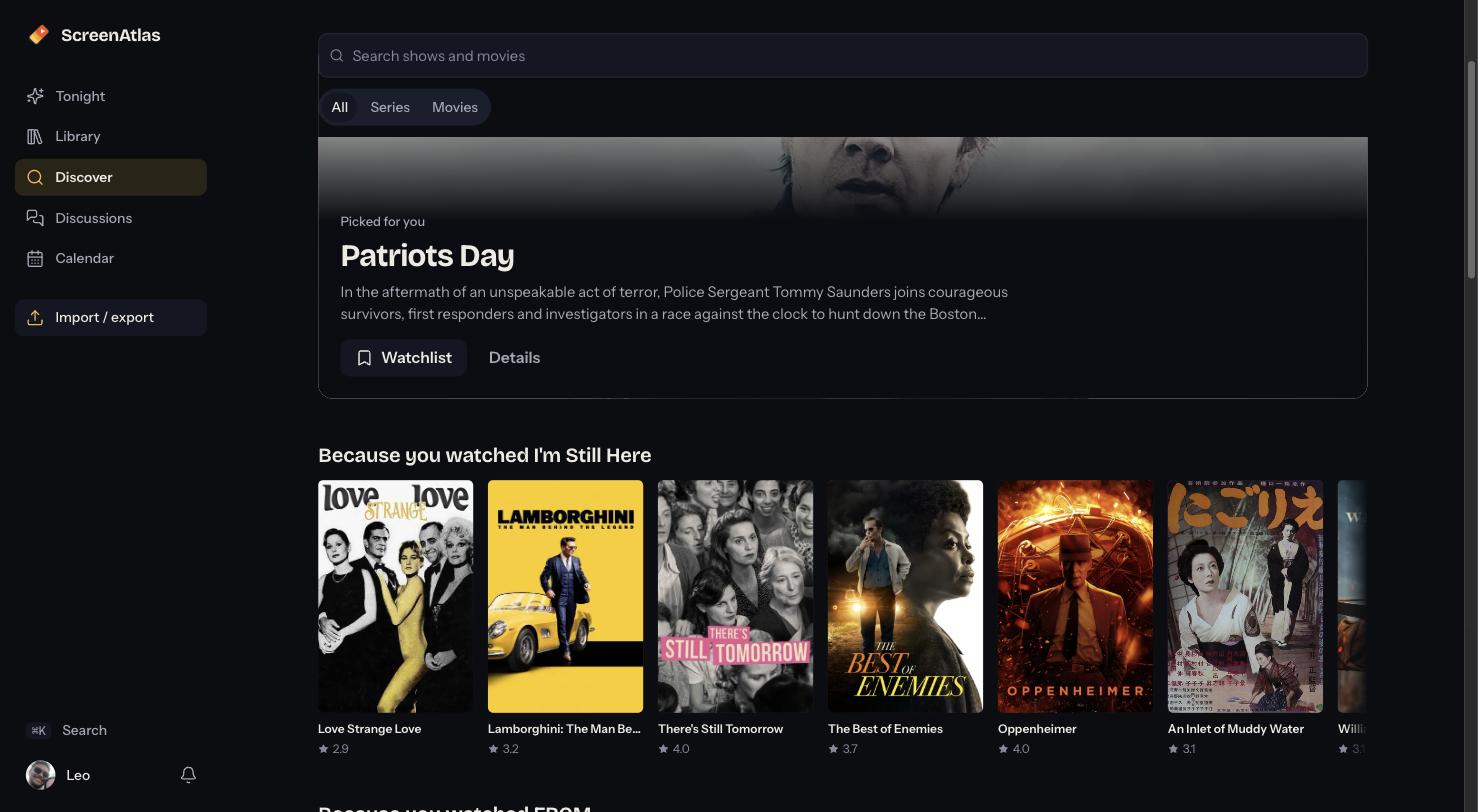
Discover opens with one title picked for you, then rows that say why they’re there (“Because you watched I’m Still Here”), then every genre as a tile. Search is still at the top. You can also press ⌘K (Ctrl K on Windows) on any screen to jump to a show, a person, or one of your lists.
Everything works in English and Portuguese, in light and dark, with a keyboard, and in your phone’s browser. Your account and library are the same ones you use on iPhone and Android.
Keep reading
More from the journal
ScreenAtlas 1.1.6: One-Tap Adds, a Discuss Inbox and New Season Alerts
ScreenAtlas 1.1.6 is out on the App Store and Google Play. Add a title straight from its poster, rate a series the moment you finish it, read every reply in one Discuss inbox, and get a push when a show in your library gets a new season.
ScreenAtlas Is Now on Android
ScreenAtlas is now on Google Play. Track your shows and movies across streaming services from an Android phone, and pick up right where you left off on iOS or the web.
Meet the New ScreenAtlas Community
ScreenAtlas now makes it easier to watch together: follow friends, explore profiles, share activity, and talk about the shows and movies you love.

Best TV Time Alternatives in 2026: Trakt, Letterboxd, and ScreenAtlas
TV Time shut down in July 2026. An honest comparison of the trackers still standing — Trakt, Letterboxd, and ScreenAtlas — and which one fits how you actually watch.