
Apps
ScreenAtlas 1.1.6: One-Tap Adds, a Discuss Inbox and New Season Alerts
ScreenAtlas 1.1.6 is out on the App Store and Google Play. Add a title straight from its poster, rate a series the moment you finish it, read every reply in one Discuss inbox, and get a push when a show in your library gets a new season.
ScreenAtlas 1.1.6 is out on the App Store and Google Play. This post covers what changed: faster ways to add and finish titles, a Discuss tab that works like an inbox, new season alerts, richer profile stats, and a quicker app on big libraries.
Add a title from its poster
Posters in Discover and in search results now carry a + button. Tap it and pick Want to watch, Watching or Finished without opening the title page. Rate and more… in the same menu opens the rating sheet when you want to leave stars too.
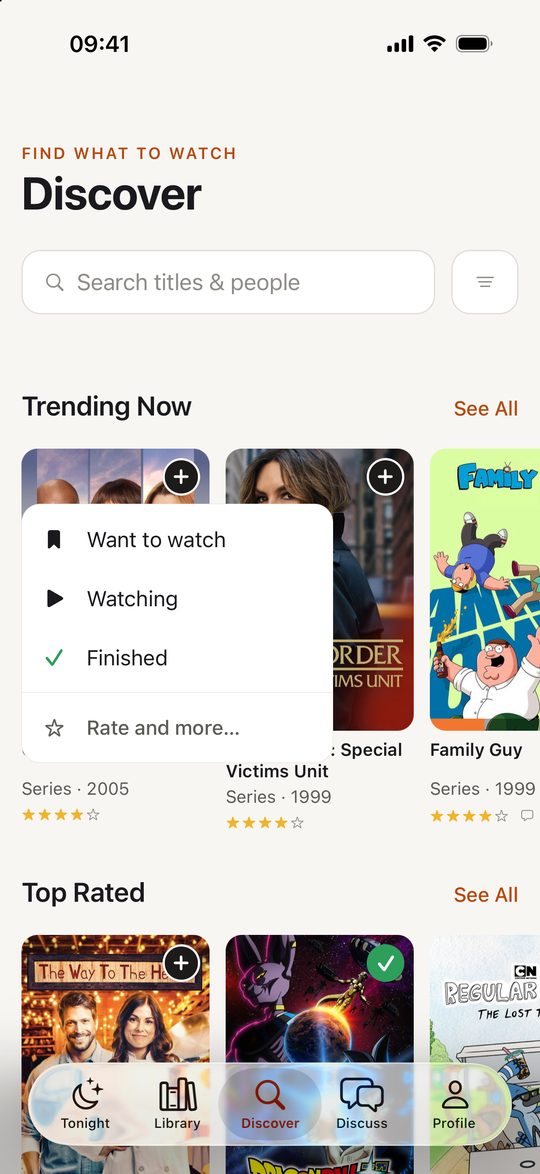
The poster updates the moment you tap, before the server confirms it, so adding a handful of shows in a row doesn’t mean waiting on each one.
Finish a series, then rate it
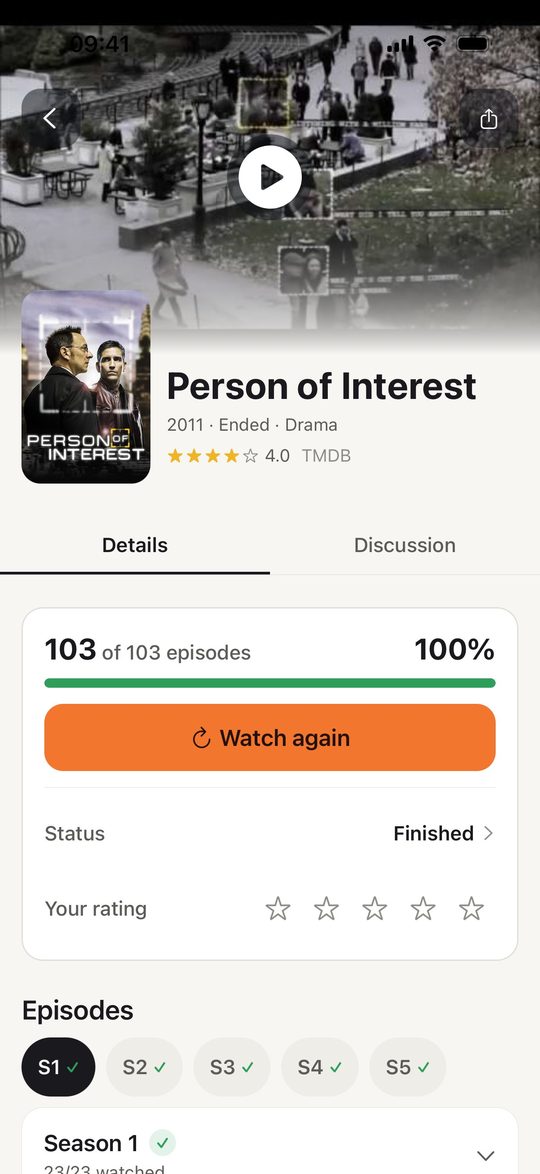
Marking a series as finished now marks every episode watched, then asks how it was. You can rate it and leave a comment right there, so the rating gets saved while the ending is still fresh. The title page keeps a Watch again button for when you come back to it.
Discuss is now an inbox
The Discuss tab gathers everything that involves you in one list: replies to your comments, mentions, your own comments, and what friends are saying. Filter chips at the top (All, Replies, Mentions, Yours, Friends) narrow it down, and each one shows how many items are new. Tapping an item opens the episode or title discussion it belongs to. If you’re new and the inbox is empty, it shows recent conversations from the community instead.
New season alerts
Turn on New seasons in notification settings and ScreenAtlas sends a push when a show you’re watching, want to watch, or finished gets a new season. It’s off until you enable it, and the rest of your notification preferences stay as they were.
More stats on your profile
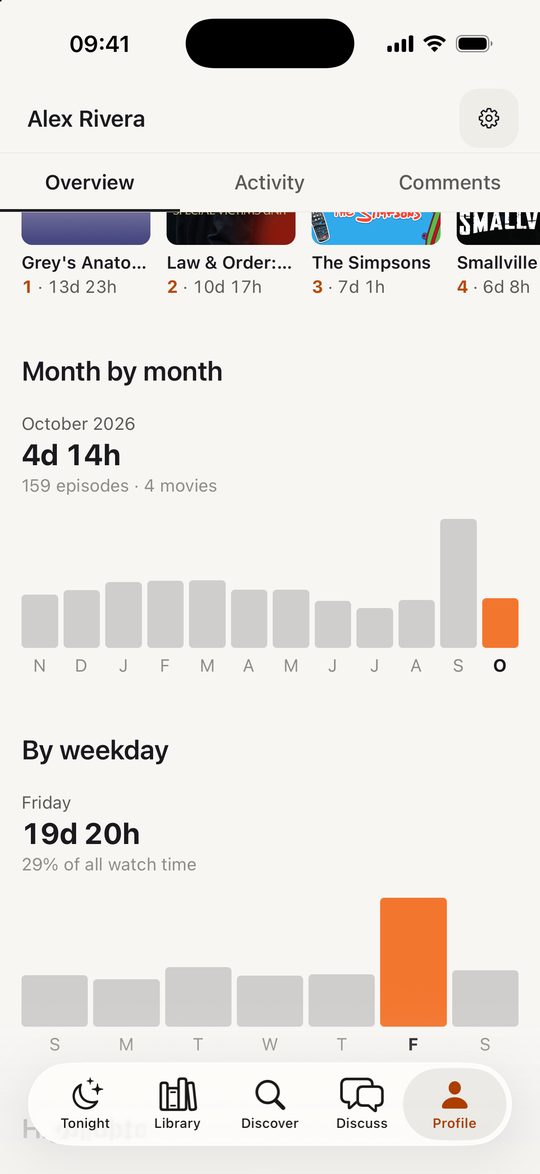
Profiles, yours and your friends’, have new stats views: your Most watched titles, watch time month by month, a breakdown by weekday, and Highlights such as your busiest month and your average per active day.
A better start for new accounts
New accounts can pick a few shows during setup, so Tonight opens with something to watch instead of an empty screen. If you’d rather start with your history, the import from TV Time, Trakt or Letterboxd still works, and it now reads TV Time’s newer in-app export too.
Faster, and fixes
- Big libraries load faster, and title pages open instantly from a poster.
- Large text sizes fit better across screens.
- Fixed a crash when switching between Discuss and Tonight.
- A follow-up update makes calendar reminders fire on the day an episode airs, not the day before. Phones on 1.1.6 get it automatically.
The update is free on iPhone and Android, and the web app at screenatlas.app/web shares the same library.
Keep reading
More from the journal
The ScreenAtlas Web App, Rebuilt Around Tonight
The ScreenAtlas web app has a new look and a new home screen. Tonight puts your next episode and your friends in one feed, and Discussions gathers every reply in one inbox.
ScreenAtlas Is Now on Android
ScreenAtlas is now on Google Play. Track your shows and movies across streaming services from an Android phone, and pick up right where you left off on iOS or the web.
Meet the New ScreenAtlas Community
ScreenAtlas now makes it easier to watch together: follow friends, explore profiles, share activity, and talk about the shows and movies you love.

Best TV Time Alternatives in 2026: Trakt, Letterboxd, and ScreenAtlas
TV Time shut down in July 2026. An honest comparison of the trackers still standing — Trakt, Letterboxd, and ScreenAtlas — and which one fits how you actually watch.